Methods
User Research
Design Sprint
Usability Testing
My Role
User Designer
Teamwork
Microsoft Retail Media Team
Areas
Website Design
Different Starting Experiences for Small, Medium, and Large Vendors
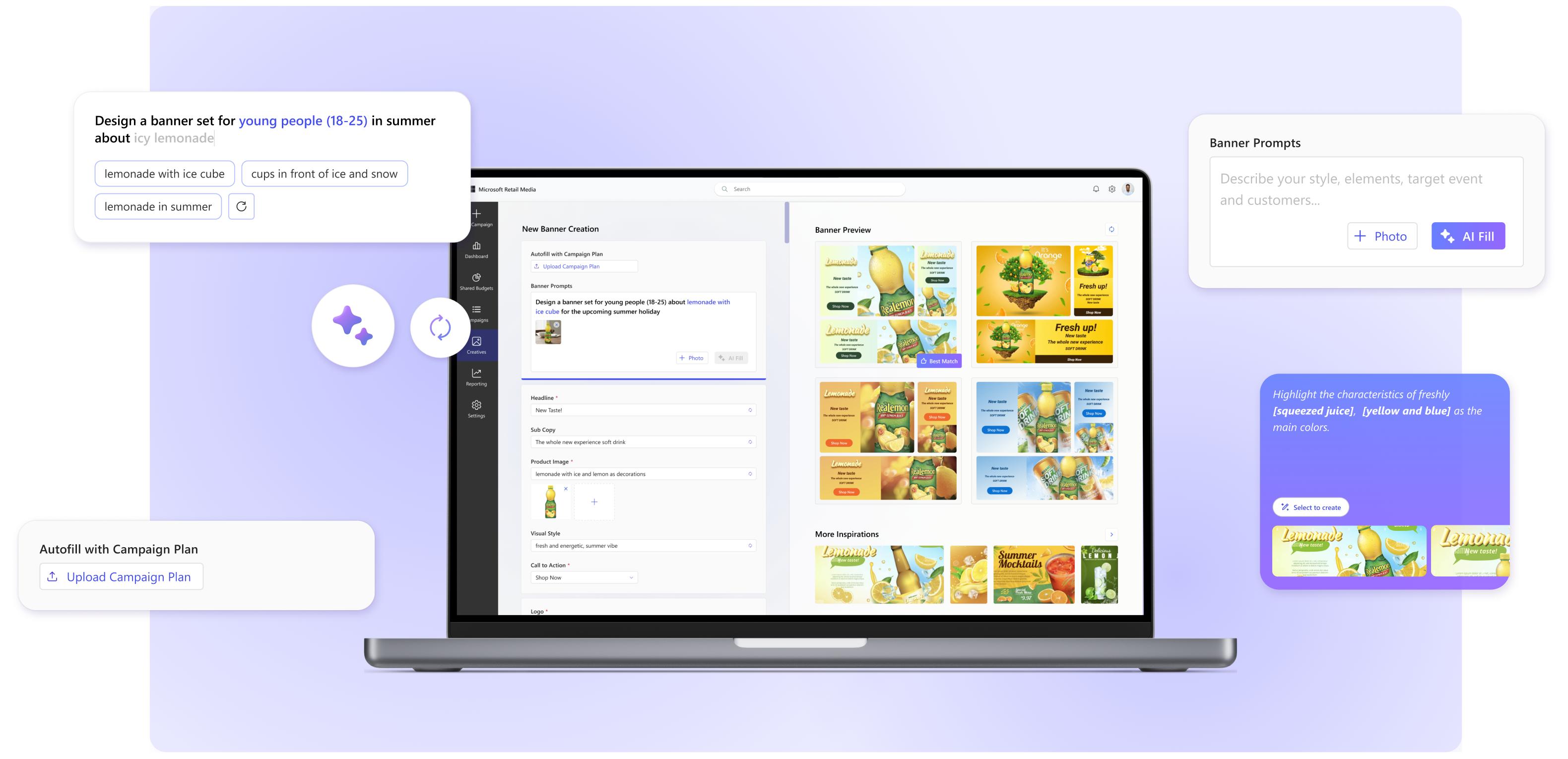
I designed different starting experiences for small, medium, and large vendors to better match their unique needs, resources, and business goals.
Select and Set a Master Banner Version
Users can choose their favorite generated banner set and designate it as the master version for further editing and campaign deployment.
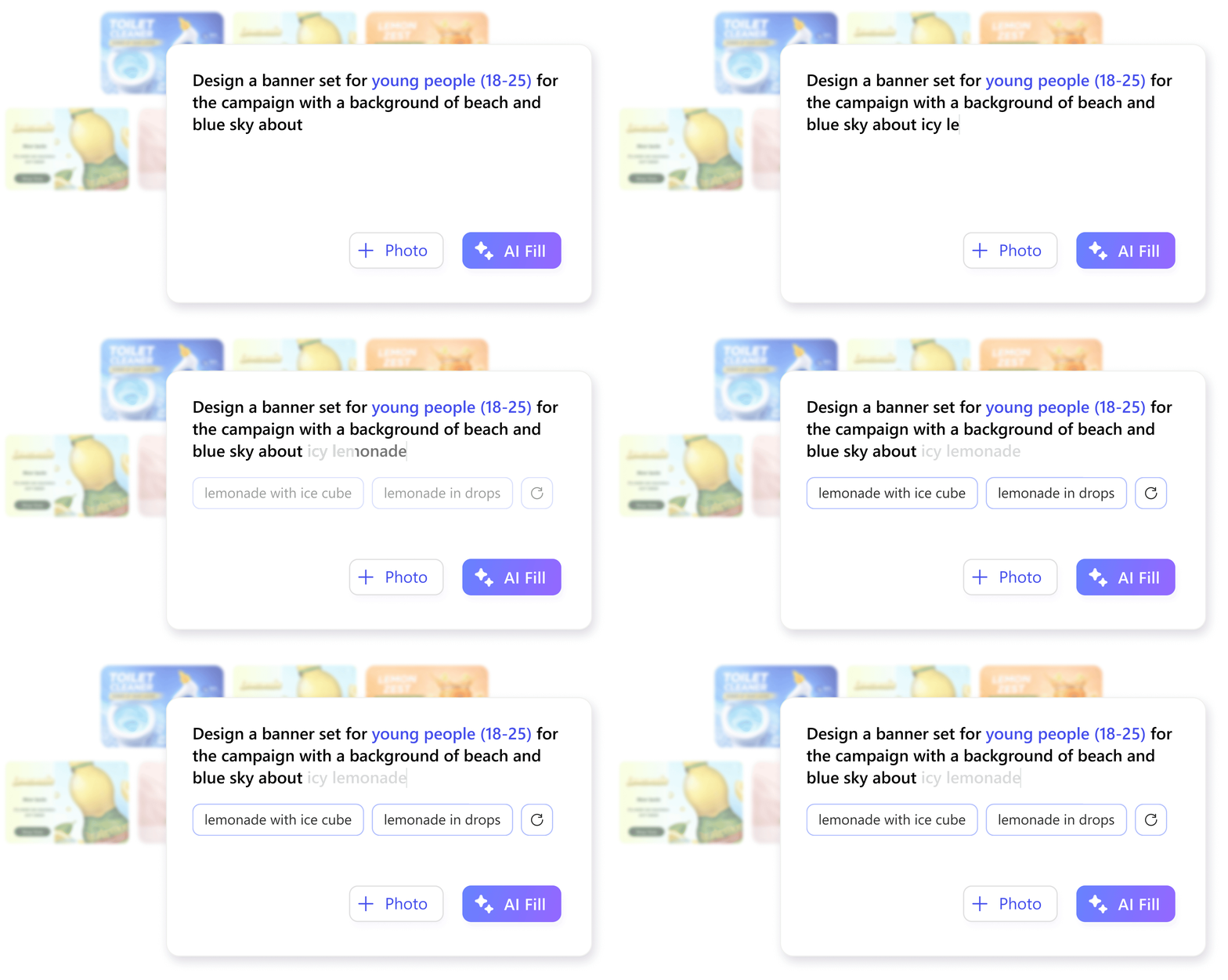
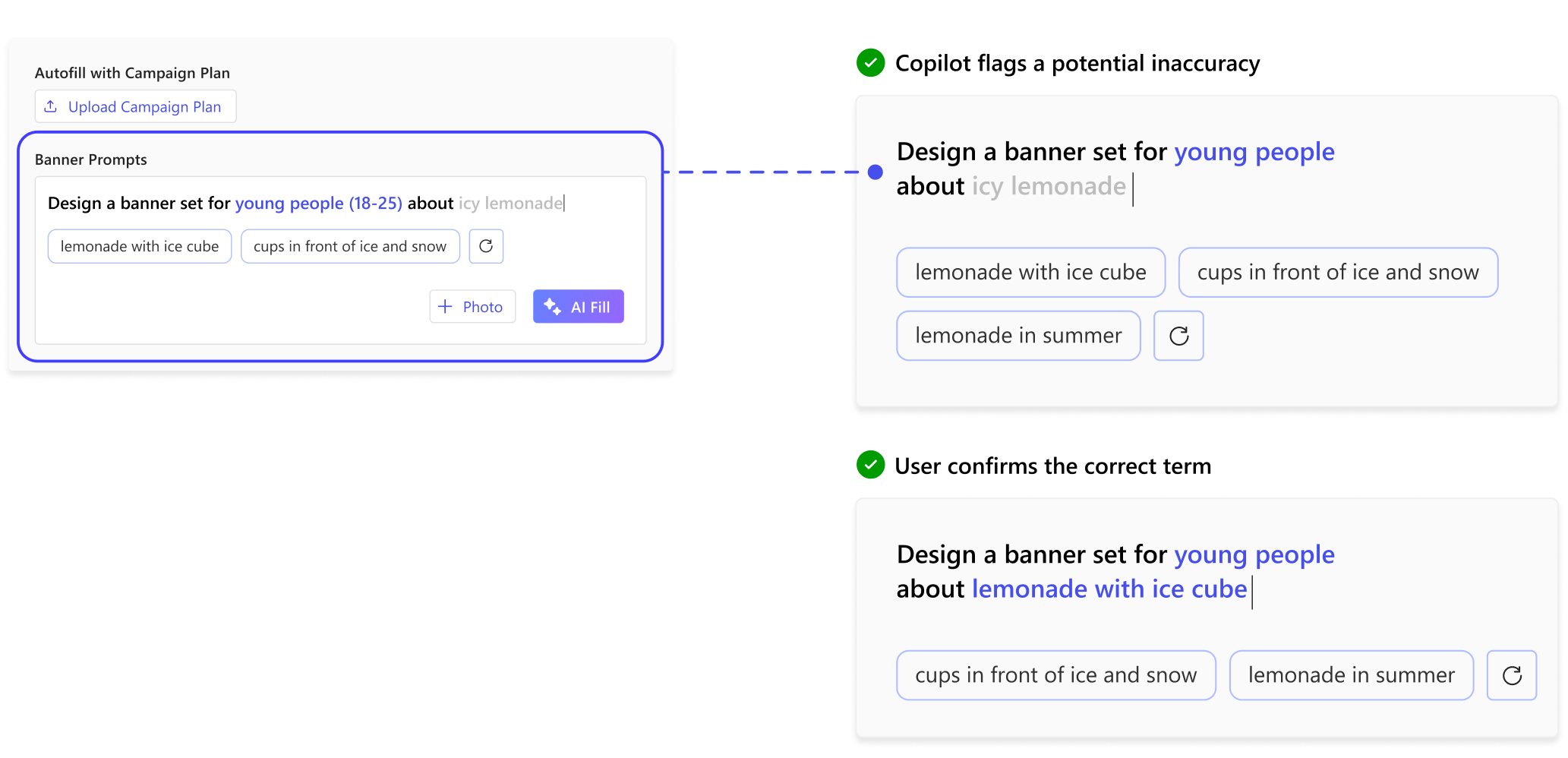
AI Prompting Support using Smart Suggestions and Highlights
I designed AI-powered suggestions and contextual highlights to help users generate ideas faster and refine their prompts with more confidence.
USERS
COMPETITIVE ANALYSIS
01
Our product requires complex inputs but delivers limited variety in its outputs.
02
AI tools primarily support marketers by summarizing and generating ideas
03
Nearly all competitors offer advanced AI creating features that help users refine.
STAKEHOLDERS
STAKEHOLDERS
Pain Point 01
Struggle to get started without a clear concept
Pain Point 02
Manually fine-tuning each form field is exhausting
Pain Point 03
Limited variety in banner outcome
Pain Point 04
Inconsistent interface reduces engagement
PROBLEM STATEMENT
How might we integrate AI to help brand marketers improve efficiency and design quality of banner creation?
DESIGN SPRINT
There are 12 Designers & Product Managers as participants and 4 hours as the duration.
.
DESIGN SPRINT
FINAL CONCEPTS
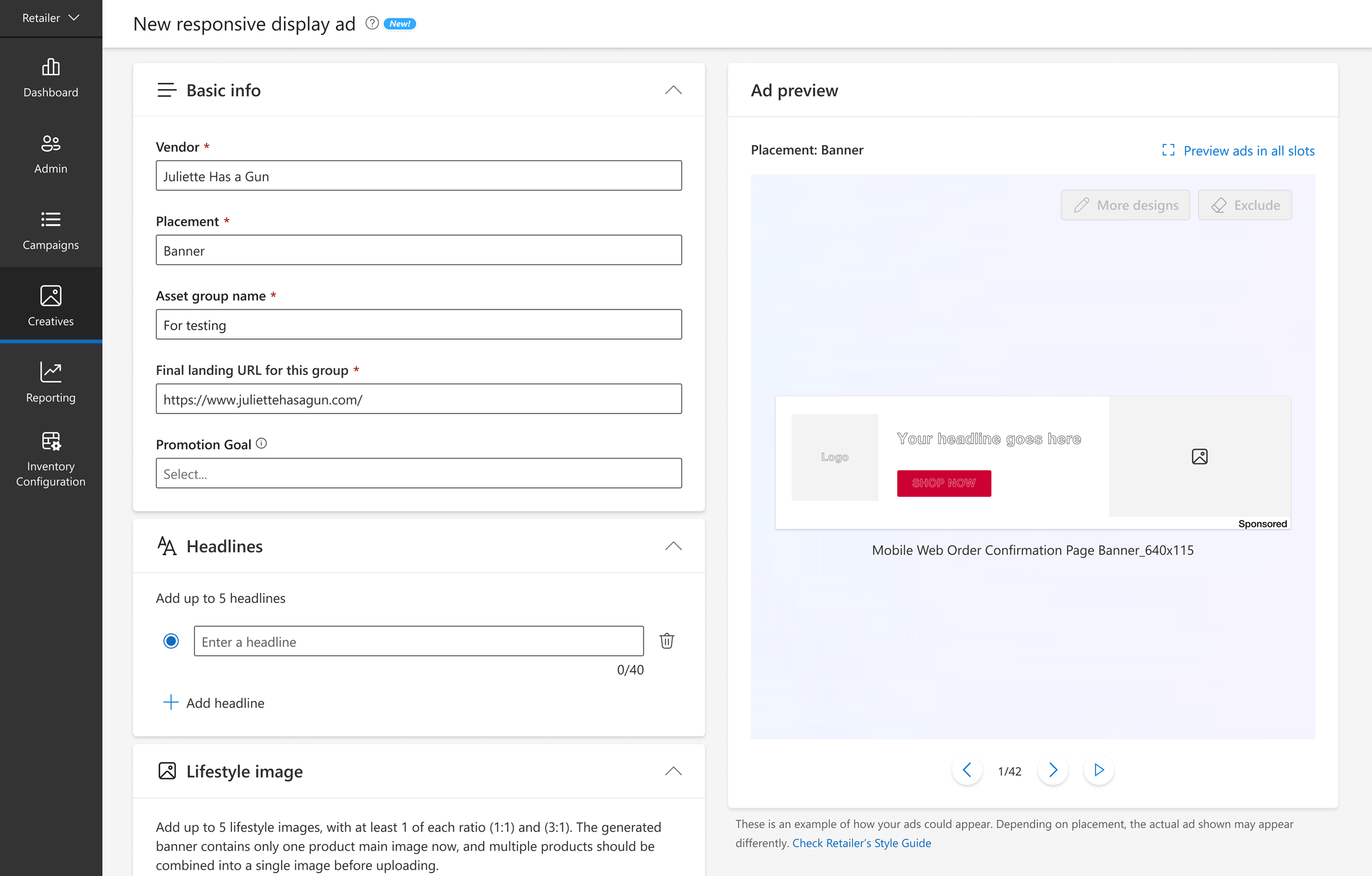
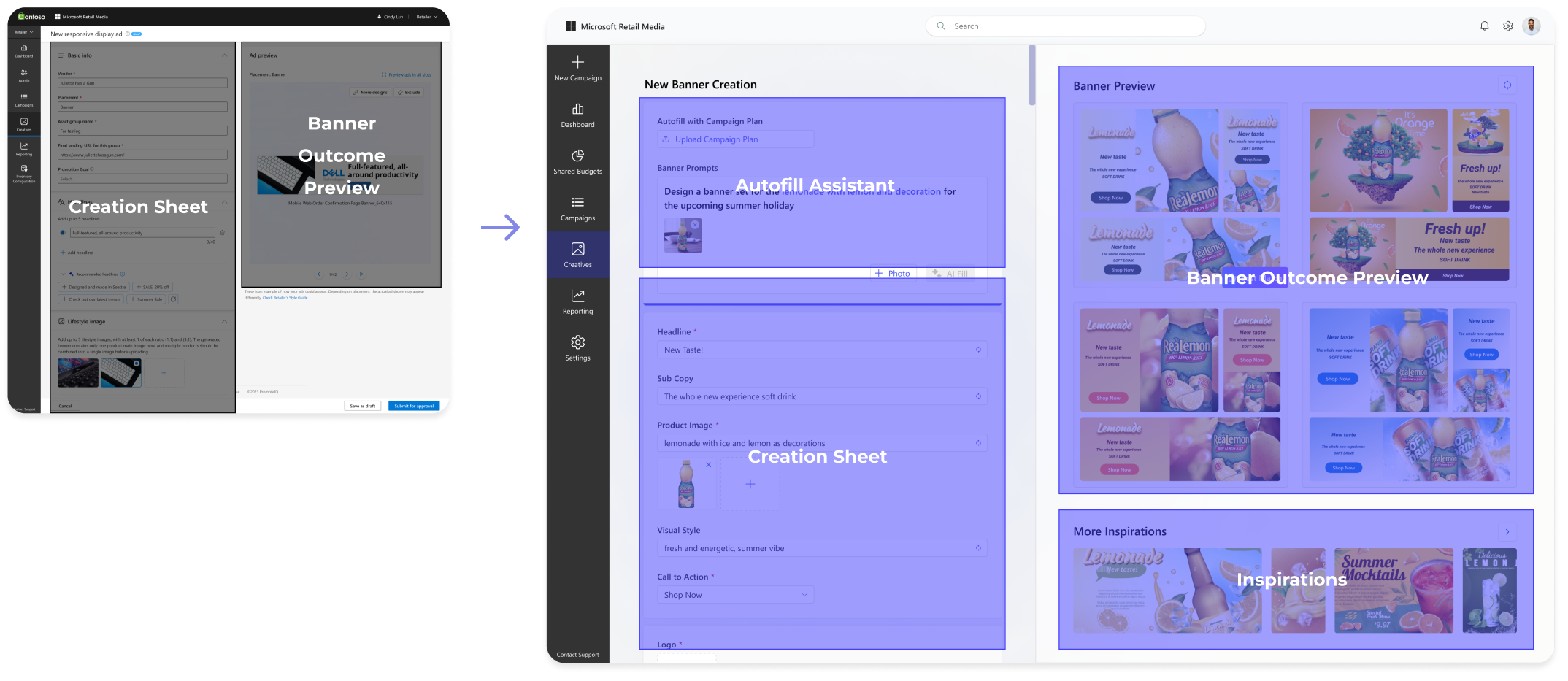
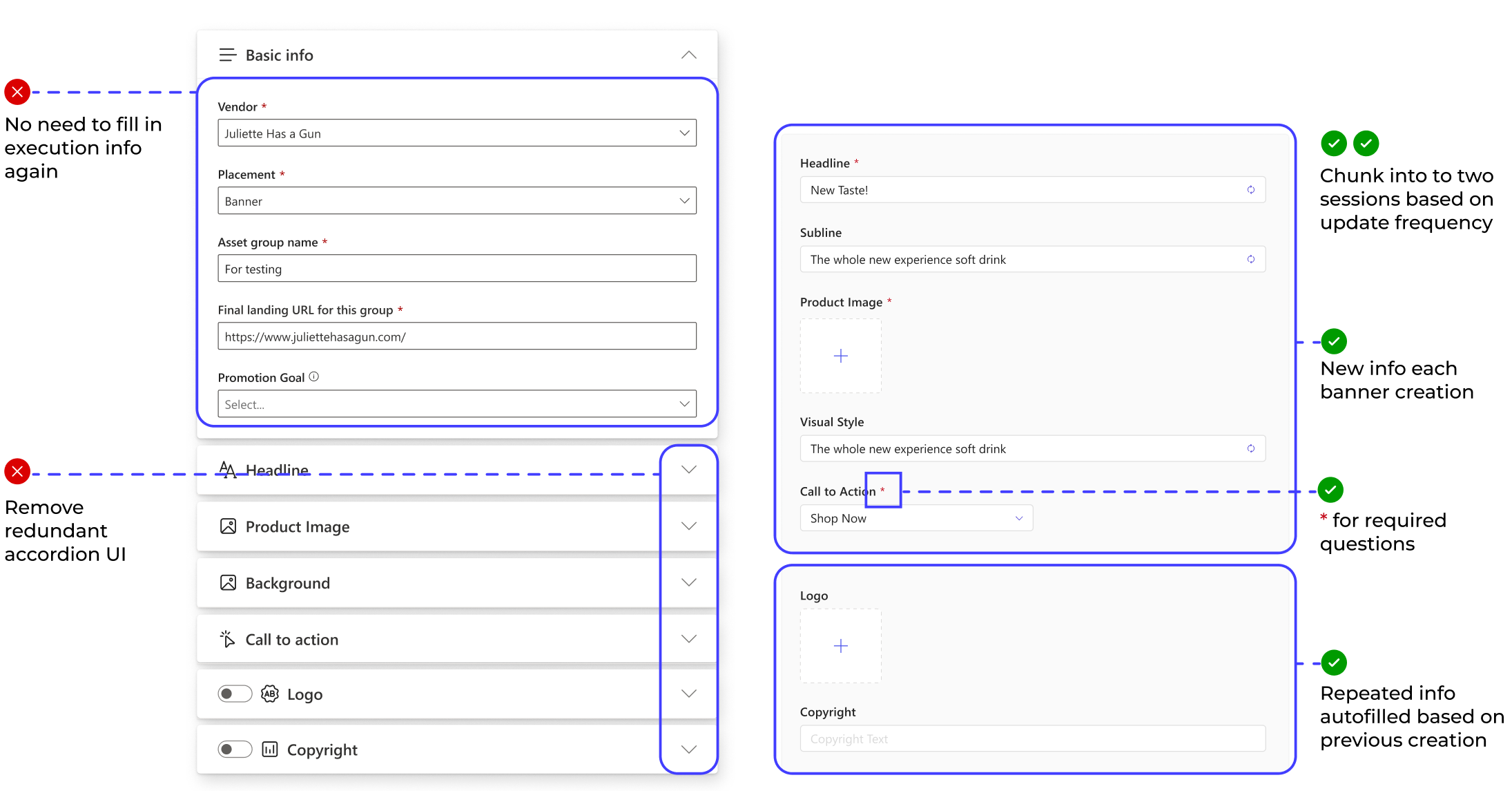
BEFORE
FINAL DESIGN
AFTER
FINAL LAYOUT
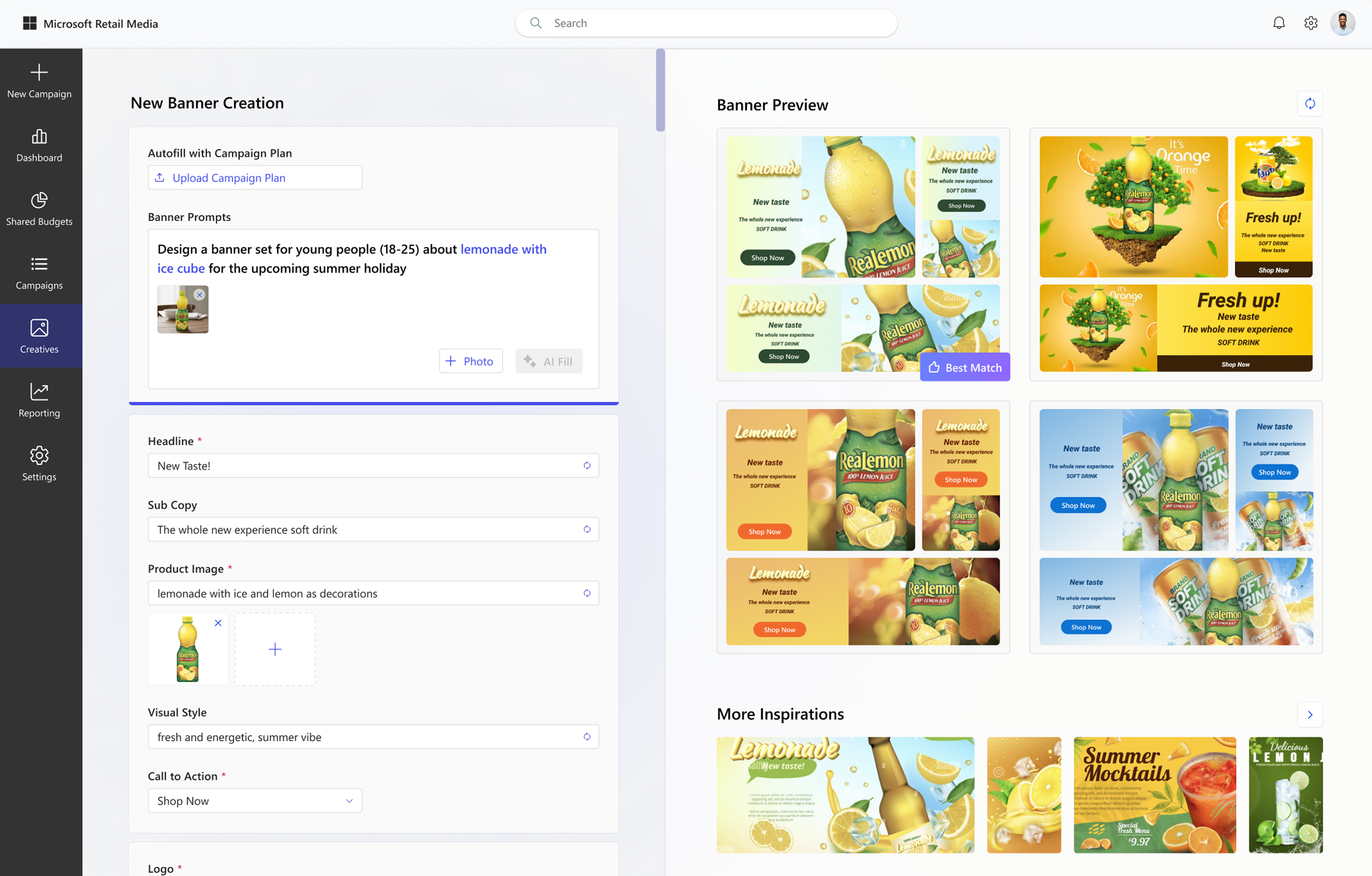
Redesigned the banner creation workflow from a form-based process into an AI-assisted creation experience with real-time previews, inspiration references, and rapid design exploration.
Step 01
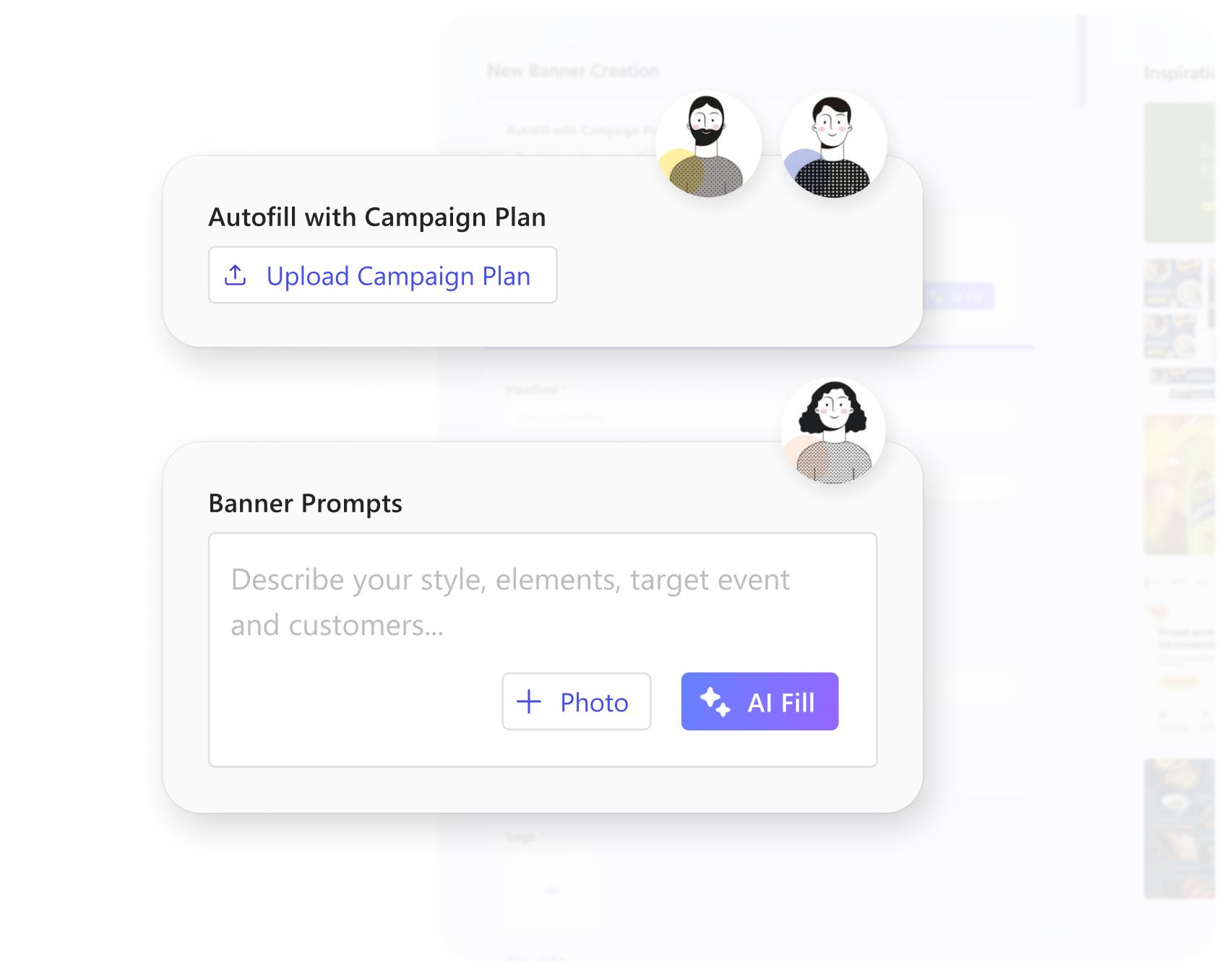
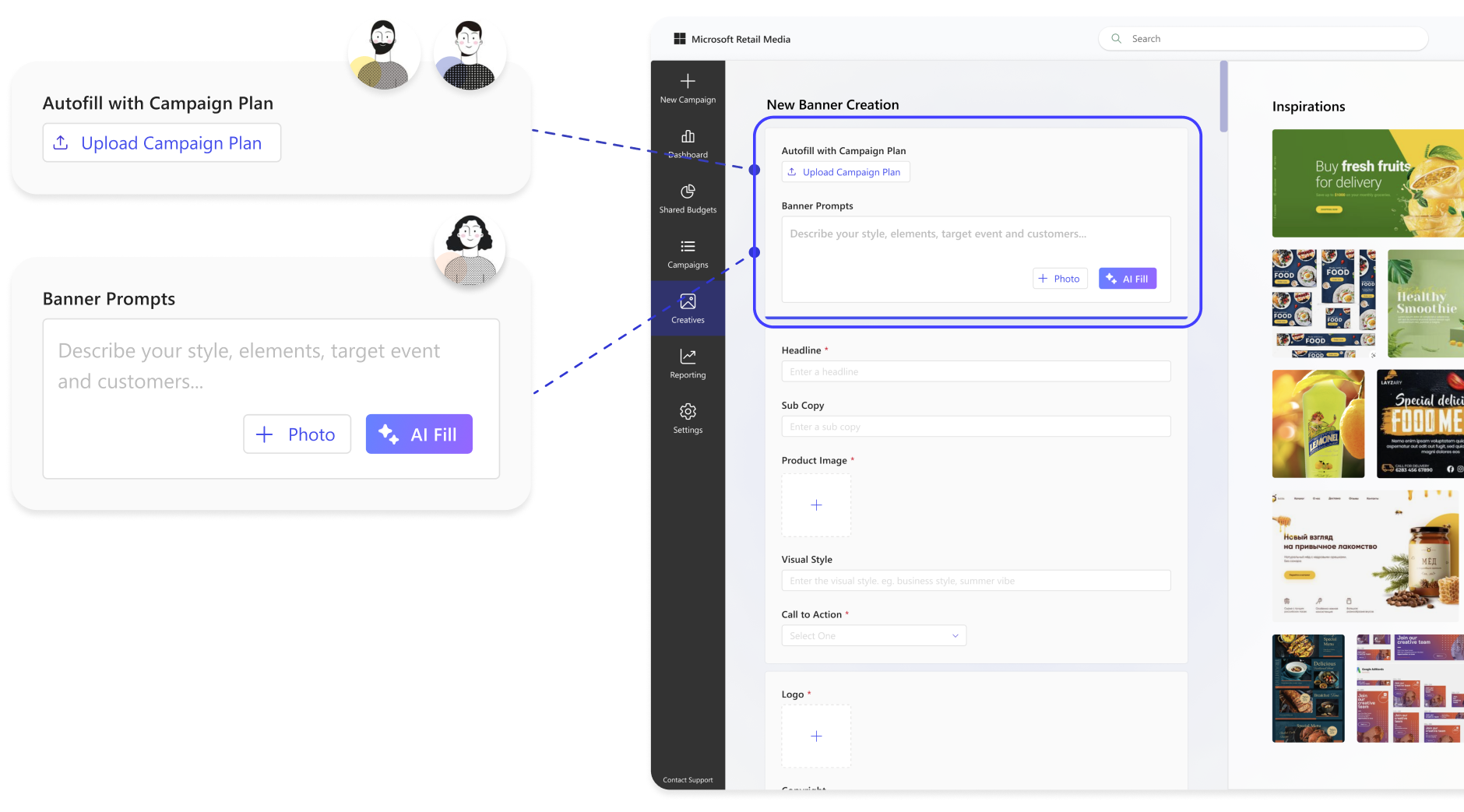
Marketers from companies of all sizes can kick off campaign creation using whatever materials they already have.
Different entry points support different needs, from importing campaign folders for large and mid enterprise teams to generating ideas from prompts for small businesses.
Step 02
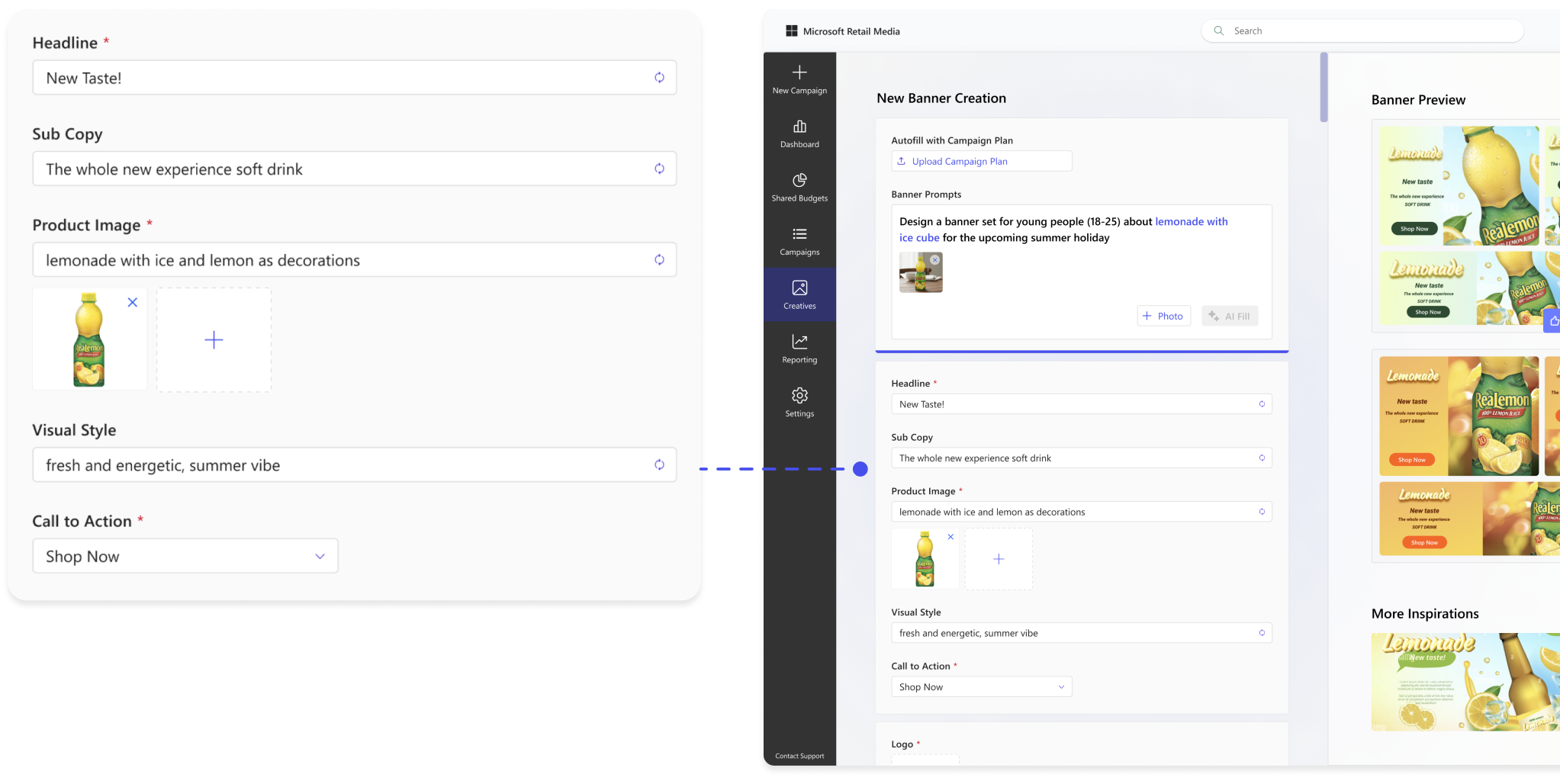
AI automatically extracts information and populates campaign fields
AI automatically extracts key information from uploaded materials and populates campaign fields, reducing manual input and speeding up campaign setup.
Simplified sheet information makes it easier for users to review and update campaign plan.
Step 03
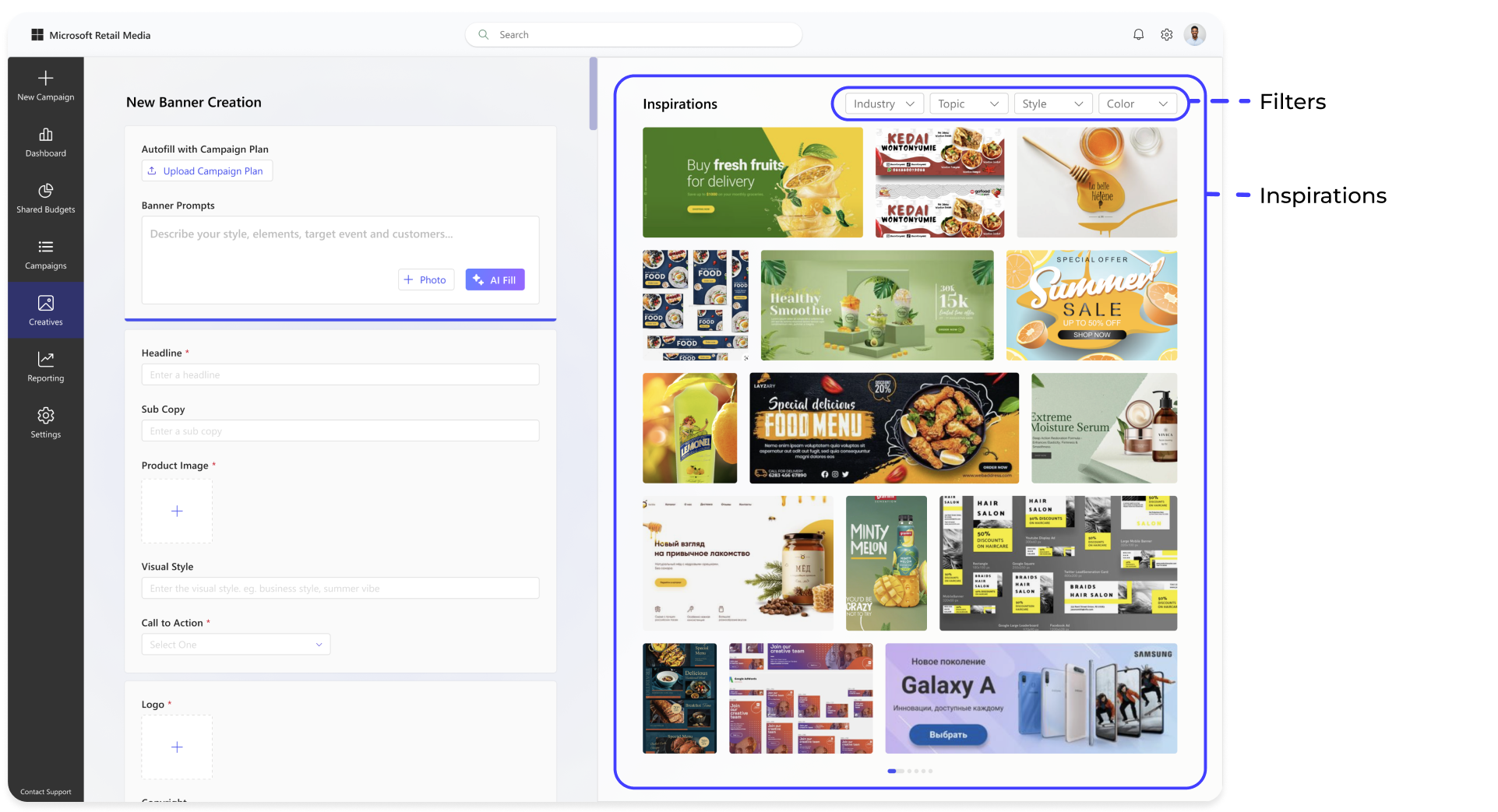
Start with more inspiration on the right side
To help users quickly develop visual ideas, the right-side inspiration panel provides relevant creative references.
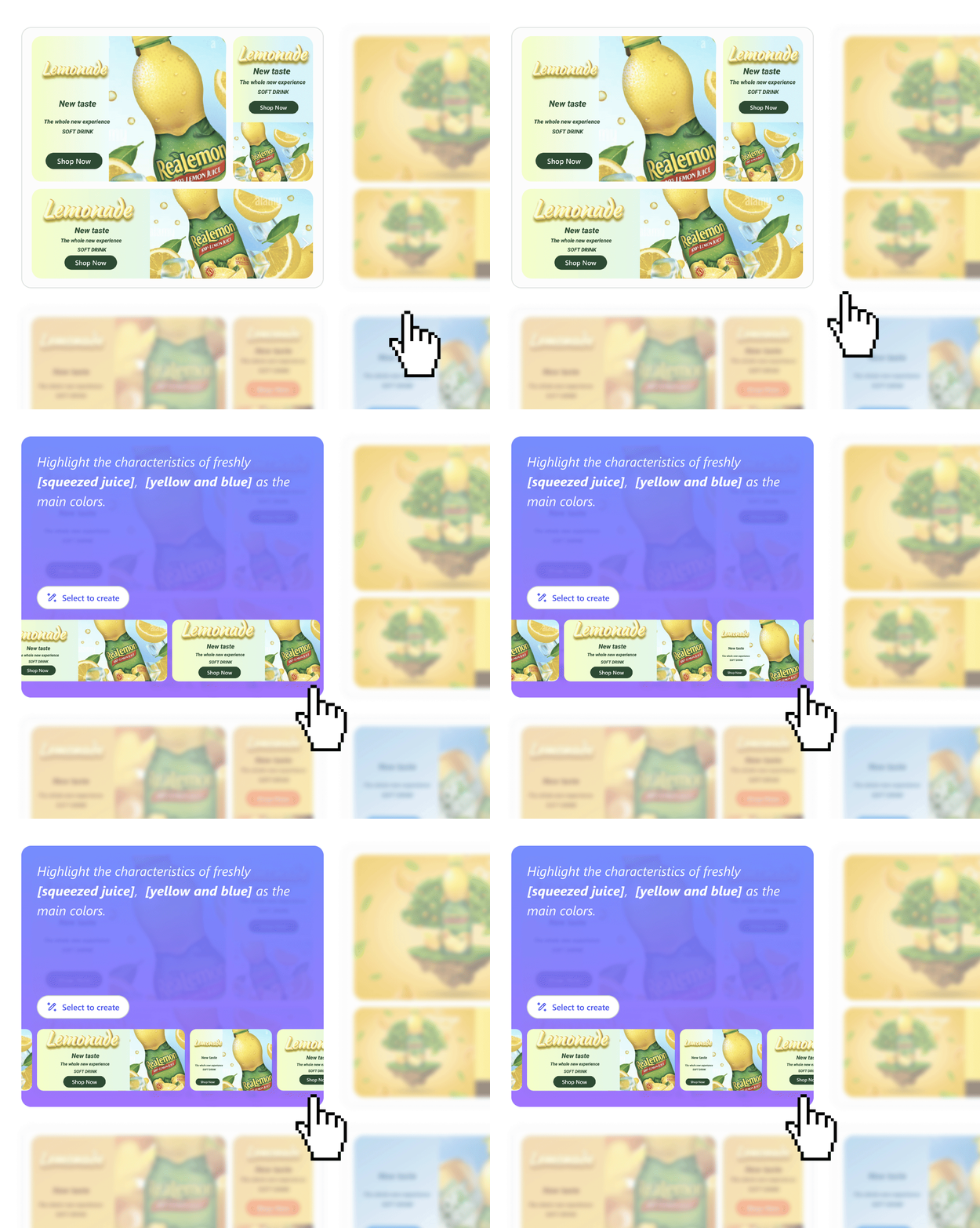
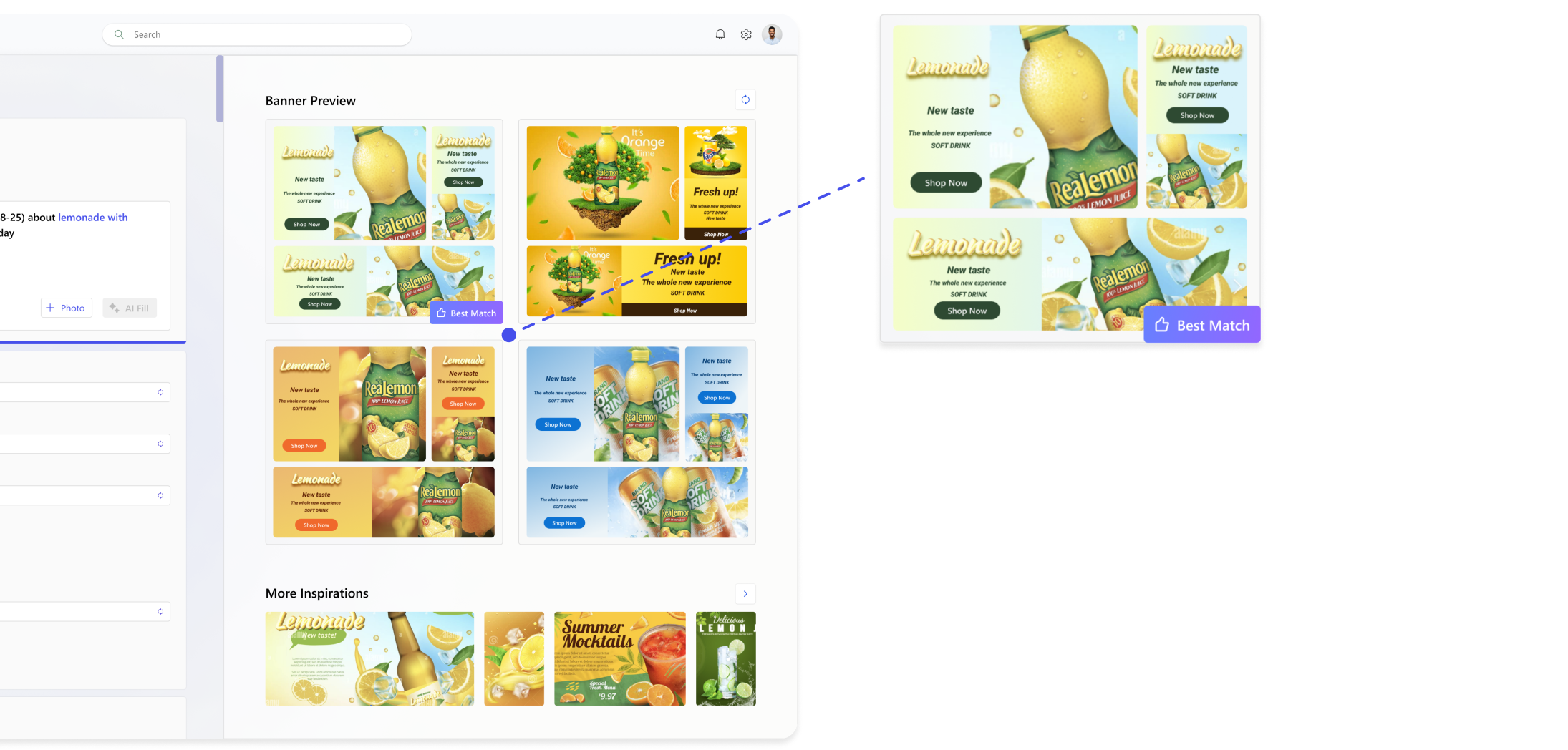
Give banner preview recommendations to speed up user’s selection process
After users generate their ideas, giving banner preview recommendations to speed up user’s selection process.
Step 04
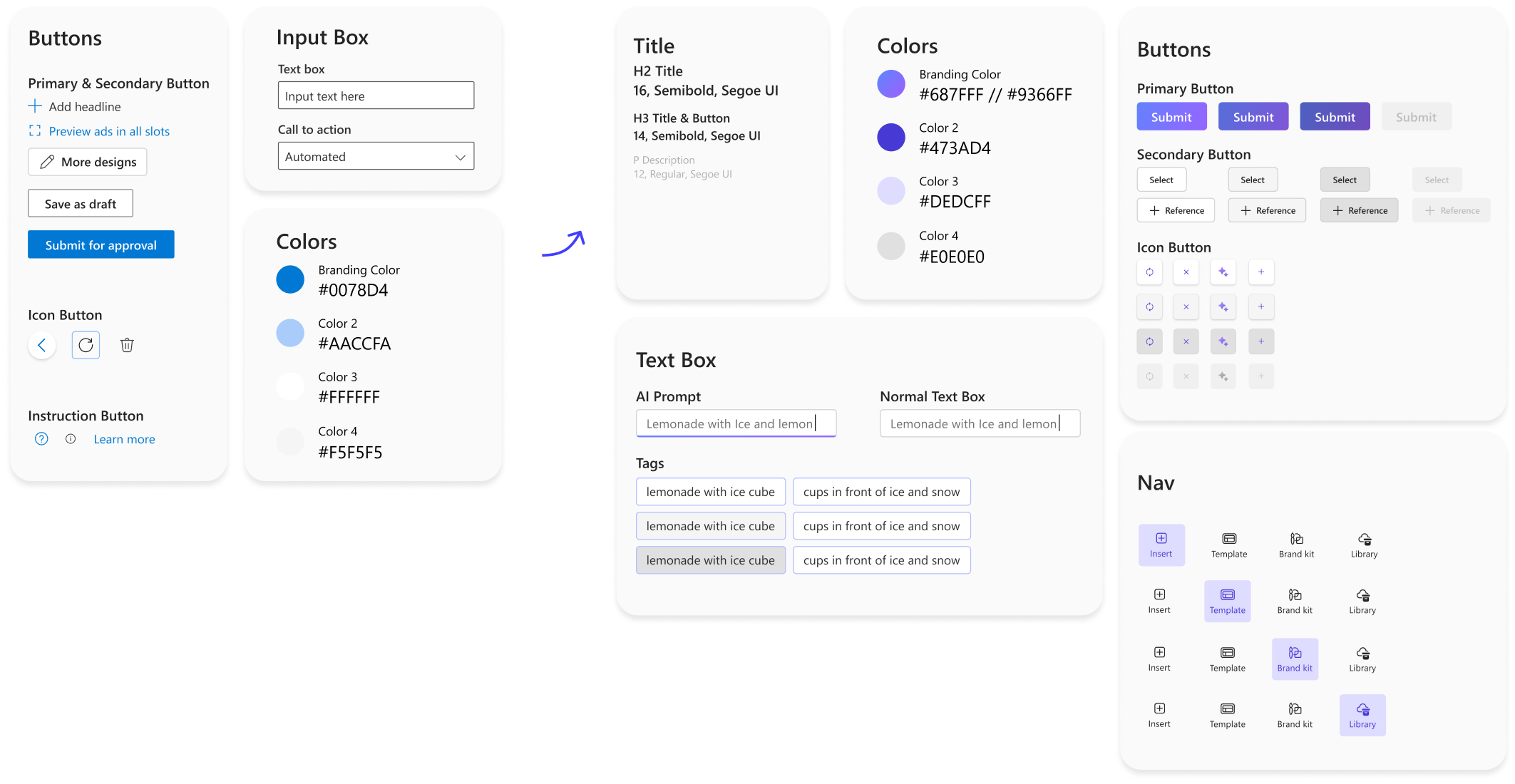
Aligning and Evolving with the Microsoft Design System
To reduce inconsistency among interfaces, the branding style was updated based on Microsoft Design System.
AI interprets user prompts and automatically populates campaign details to accelerate banner creation.
MEASURABLE OUTCOME
IF I HAD MORE TIME...
Add instructions and tooltips to help users navigate our latest update
FINAL CONCEPTS
Add more estimated qualitative insights to support marketer recommendations
REFLECTIONS
System thinking improves the collaborations between designers
By considering the overall vision and interconnected elements from the start, designers avoid potential rework and ensure that all tasks are aligned. This approach helps streamline the design process and reduces the need for significant revisions later on.
Test and update with your clients as early as possible
Before beginning design, it is best to clarify client's requirements and engineer’s feasibility to avoid disagreements when the design draft is completed. At the same time, requirements may change from time to time, thus keeping up to date and communicating is essential.